Get Change Events into Procore in Minutes, Not Hours
Stop manually entering data from T&M invoices and change order logs into Procore. Upload a PDF or spreadsheet, review the extracted data in a staging grid, and sync validated change events directly to Procore.
PDFs, spreadsheets, or both
However your change event data arrives — T&M invoices as PDFs, change order logs in Excel, or cost breakdowns in CSV — Sandspit gets it into Procore without the manual data entry.
PDF Extraction
Upload a T&M invoice or change order document and Sandspit uses AI to extract change events and line items automatically. Review everything in a staging grid before syncing.
Spreadsheet Import
Upload your XLS template or CSV with change events and line items. Sandspit maps your columns to Procore fields and stages everything for review.
Validation Before Sync
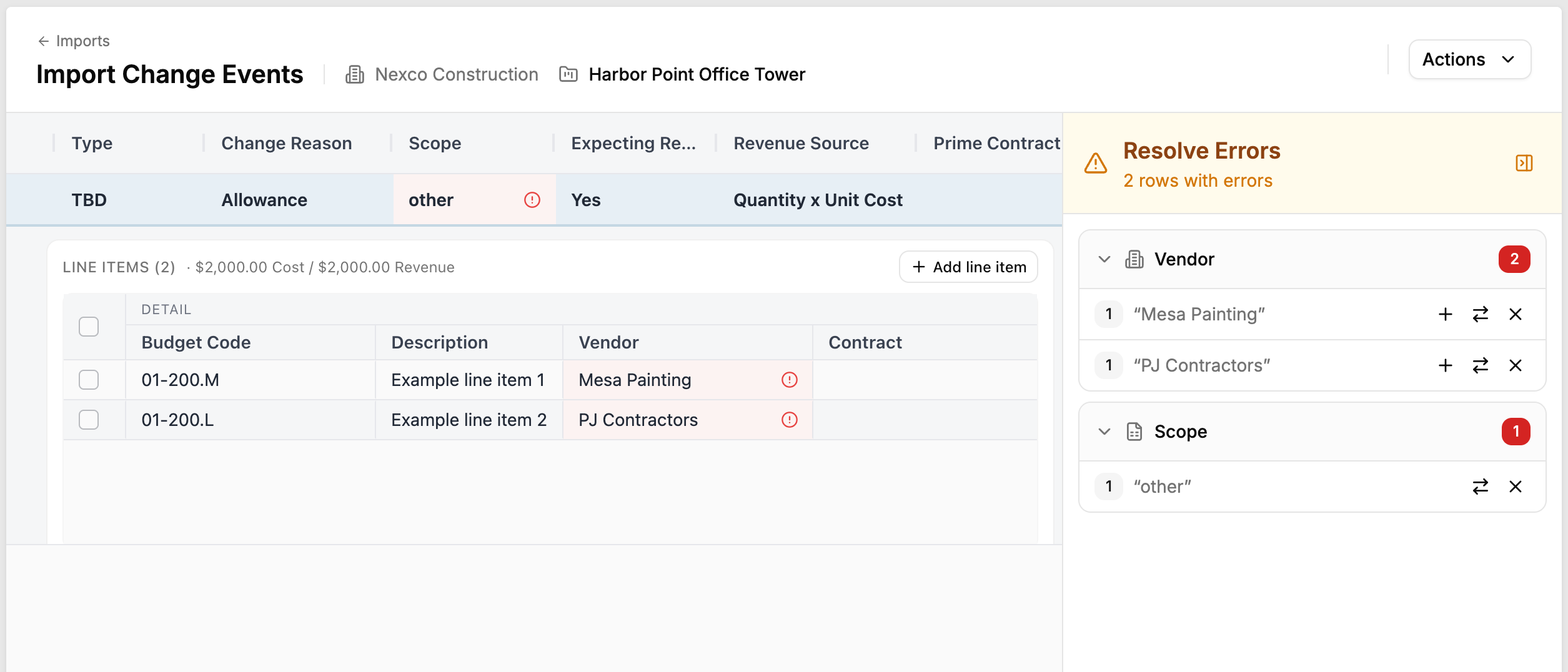
Sandspit validates every record against your project's actual cost codes and budget codes. Stale codes, duplicates, and mismatches get flagged before anything touches Procore.
Upload, stage, sync
Every import follows the same simple workflow — regardless of whether you're starting from a PDF or a spreadsheet.
Upload your document. Drop in a PDF, Excel file, or CSV. For PDFs, AI extracts change events and line items. For spreadsheets, Sandspit maps your columns to Procore fields.
Stage and review. Extracted data lands in an editable grid where you can review, correct, and adjust before anything gets pushed. Validation flags problems — wrong cost codes, duplicate numbers, missing fields — so you fix them here, not in Procore.
Sync to Procore. Once you're satisfied, sync creates each change event in Procore with the correct line items, cost codes, and associations. Clear error reporting tells you exactly what happened.
Built for projects with hundreds of change events
Skip the data entry
Go from a stack of T&M invoices to Procore change events in minutes instead of hours of manual entry.
Catch problems before they sync
Validation against your project's actual cost codes and budget codes catches stale codes, duplicates, and mismatches before anything reaches Procore.
Work with what you have
PDF invoices, Excel templates, CSV exports — Sandspit handles whatever format your change event data comes in.
Review before it's final
Everything goes through a staging grid first. Edit, correct, and approve your data before it ever hits Procore.
Ready to transform your workflow?
Join construction teams who use Sandspit to eliminate duplicate entry and keep their Procore data perfectly in sync.