 Sandspit
Excel Add-in
Change Event Imports
Change Event Imports turn vendor T&M invoices, quotes, images, CSVs, spreadsheets, and source documents into structured Procore Change Events. Instead of rebuilding each potential cost change by hand, you extract a first draft, review the staged data, and sync validated records to Procore.
Overview
A typical T&M workflow looks like this: a vendor sends a PDF invoice, quote, image, CSV export, or spreadsheet. A PM reads it, pulls out labor / equipment / material / markup, assigns cost codes and cost types, confirms the change reason and scope, writes a usable description, and rebuilds it in Procore as a Change Event. The work already exists in the source file. The problem is getting it into the shape Procore needs.
Sandspit shifts this from an entry-first workflow to a review-first one:
- Upload the vendor file (PDF, image, CSV, spreadsheet, or XLS template)
- Review the structured data in the Staging area
- Accept suggested fixes or resolve missing vendor and budget-code mappings
- Sync the reviewed data to Procore as a Change Event with line items for RFQ, ROM, and change-order workflows
Note
You still own the review
Sandspit does not replace PM judgment. It removes the blank-page step so you're reviewing structured data instead of reconstructing it from scratch.
Intake options
Sandspit supports several intake formats, depending on whether you control the input or are working from vendor-supplied files.
AI-assisted extraction
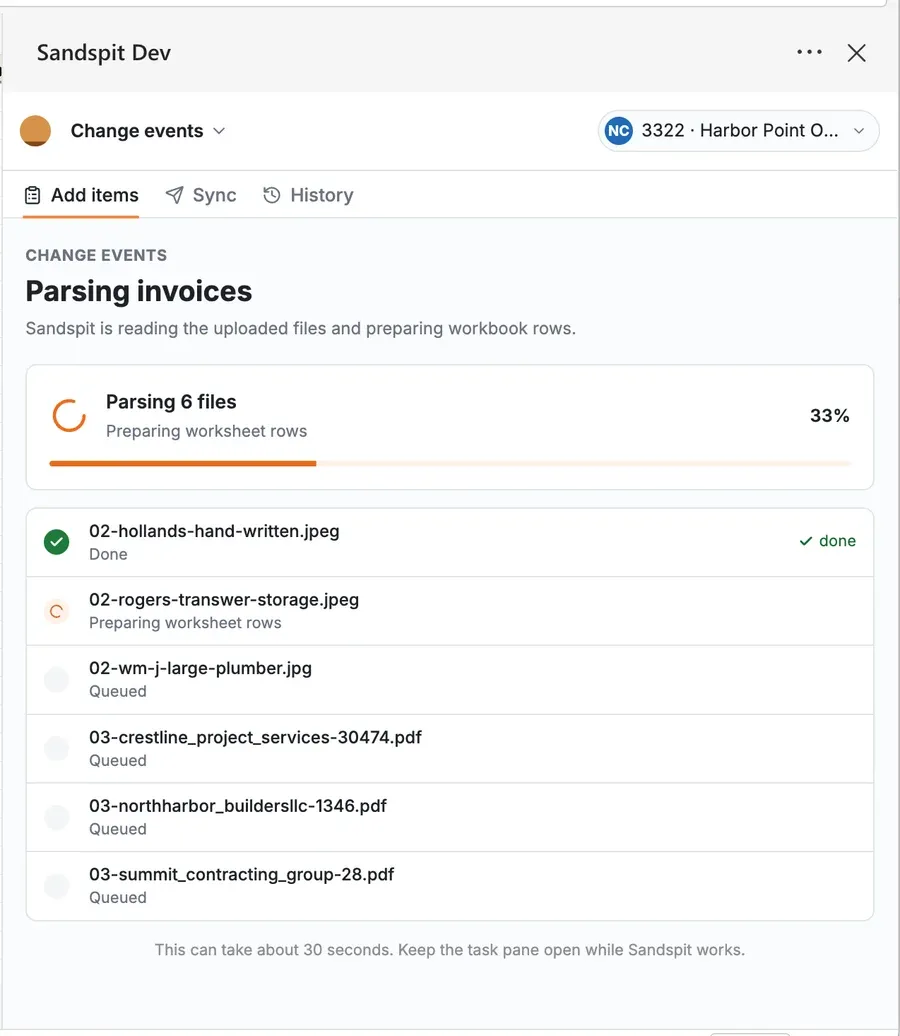
AI-assisted extraction helps turn unstructured or semi-structured source documents into Change Event rows. It is most useful when the source is a vendor invoice, quote, scanned document, image, CSV export, or inconsistent spreadsheet that would otherwise need to be re-keyed.
The output is not sent straight to Procore. Sandspit stages the extracted rows for review, validation, and correction first.
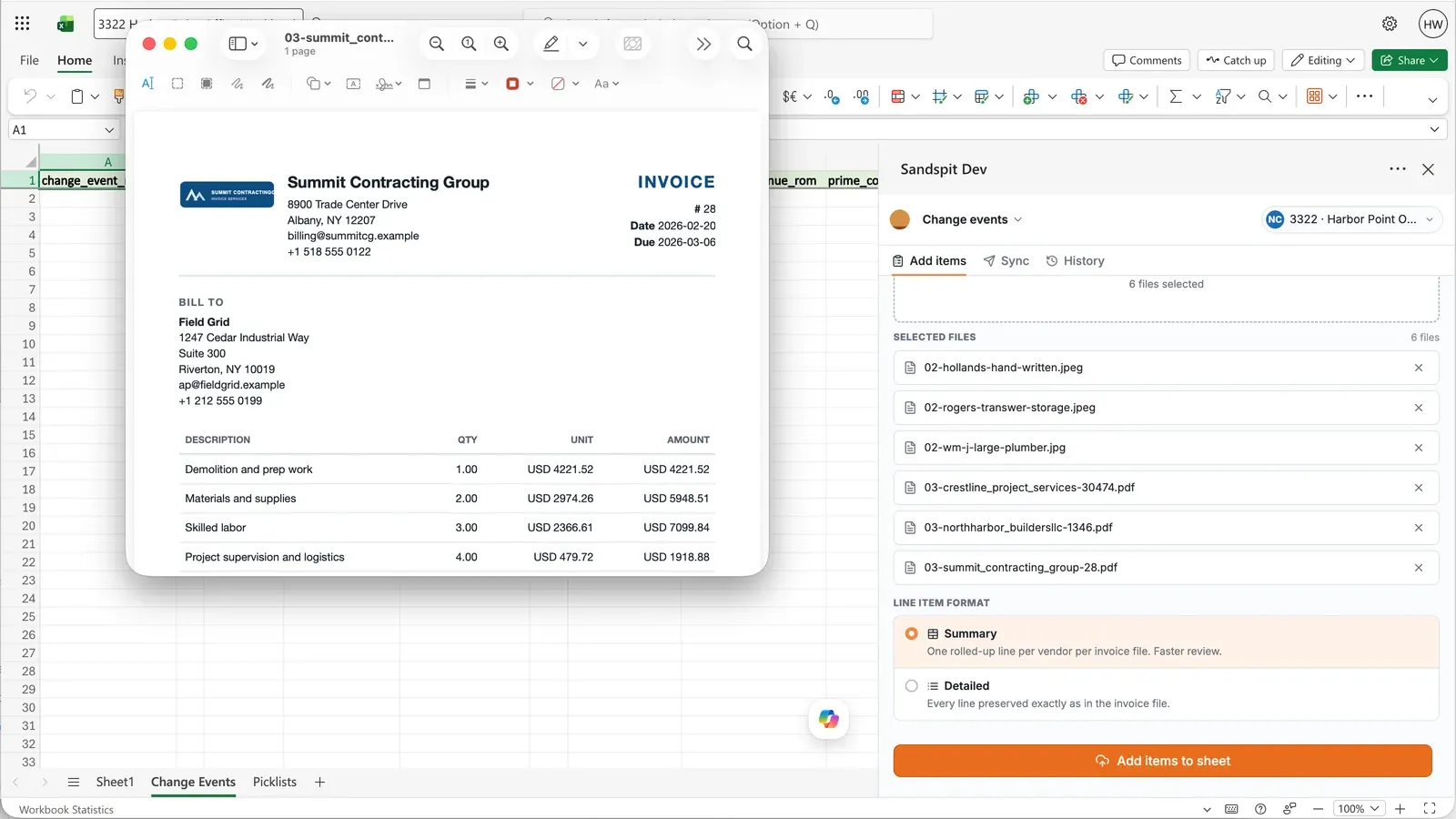
PDFs and images
Upload PDFs or image files when the source is a vendor file you cannot control. Sandspit reads the document, extracts likely line items and totals, and organizes the result into a Change Event-ready structure.
This does not remove the review step. It removes the blank-page step, so PMs and PEs start from extracted data instead of manually rebuilding each row.
CSV files
Use CSV intake when cost data comes from another system, export, or internal spreadsheet. Sandspit stages the rows, checks the values against the active project configuration, and highlights anything that needs mapping before sync.
Sandspit XLS template
When your team or vendor can fill in a structured format up front, use the Sandspit XLS template. The template includes column validations so the data is closer to where it needs to be before upload.
Template columns include:
- Vendor
- Cost code
- Cost type (Labor, Equipment, Material, Subcontract, Other)
- Description
- Quantity and Rate
- Amount
Tip
Use the template when you can control the input
The XLS path is the fastest route to a clean Change Event. Validated columns prevent most cleanup work before it starts.
The Staging area
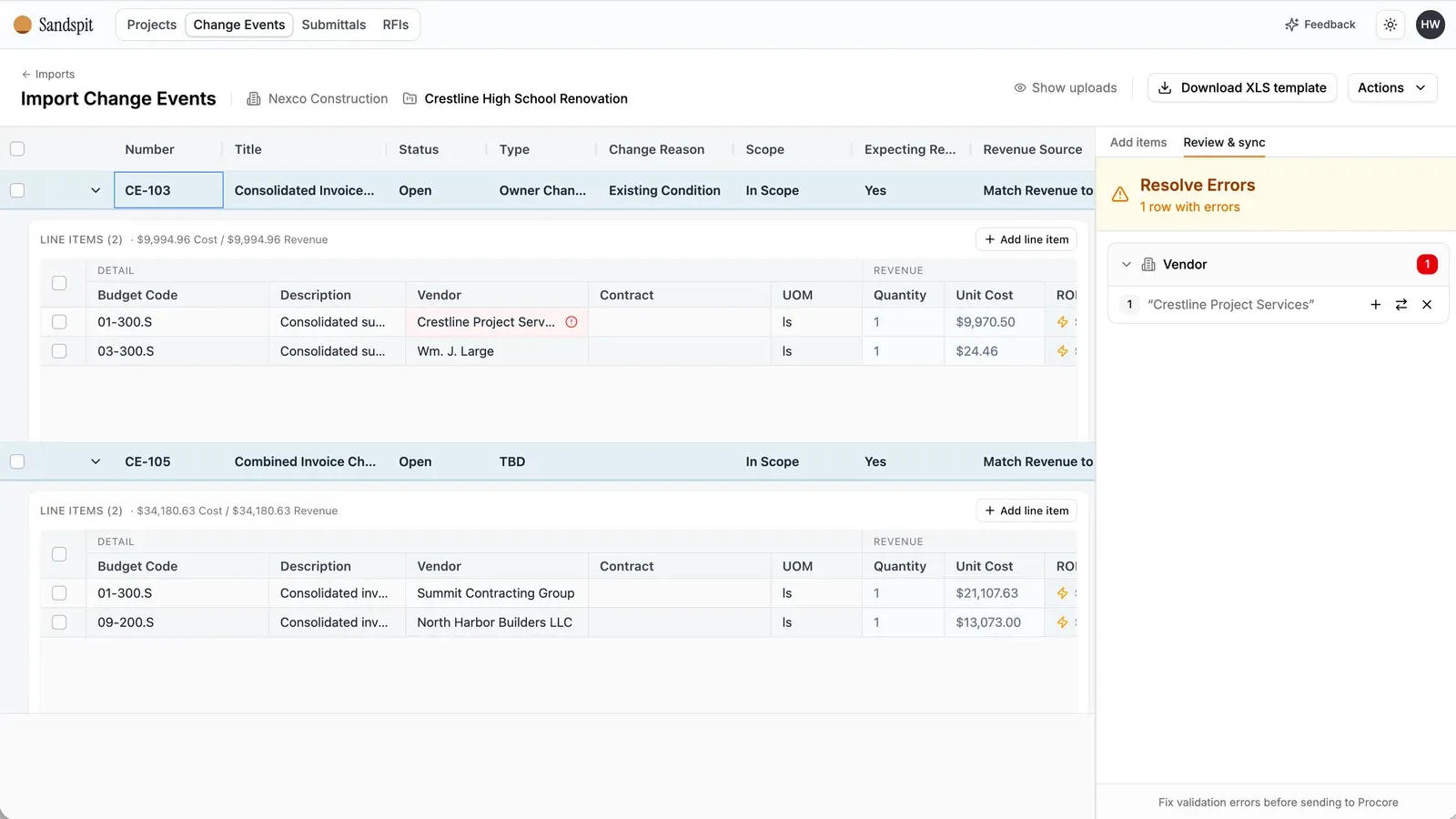
After a PDF, image, CSV, spreadsheet, or XLS template is uploaded, the data lands in Staging before it moves forward. Staging is where you review, validate, and fix records before they become a Change Event in Procore.
Row statuses
| Status | Meaning |
|---|---|
| Ready | Row is fully mapped and ready to sync to Procore |
| Needs Review | A field is ambiguous or incomplete and needs a decision before sync |
| Vendor Not Found | The vendor on the invoice doesn't match an existing Procore vendor |
| Budget Code Missing | The cost code or budget code doesn't exist on the project yet |
Suggested fixes
When a value doesn't match what Procore expects, Sandspit flags the row and suggests a fix where possible. Common examples:
- A vendor name that closely matches an existing Procore vendor
- A cost type that can be inferred from the line description
- A line whose cost code is unclear and needs review
- A description that needs review before it lands on a Change Event
Accept a suggestion to apply the fix, or edit the row directly if the suggestion isn't right.
Missing vendors and budget codes
One of the most common workflow blockers is setup. The invoice is ready, the cost is valid, but the vendor or budget code doesn't exist on the project yet.
Rather than stopping the import, Staging lets you resolve setup issues in context:
- Map or resolve the missing vendor before sync
- Map or resolve the budget code before sync
- Resolve the cost type before the data moves forward
These fixes are scoped to the current Change Event import. Sandspit is not a standalone vendor or budget-code administration tool.
Tip
Fix issues where the work is happening
The goal of Staging is to catch issues while they're easy to fix, not after a Change Event is already wrong or an import has failed.
Sync to Procore
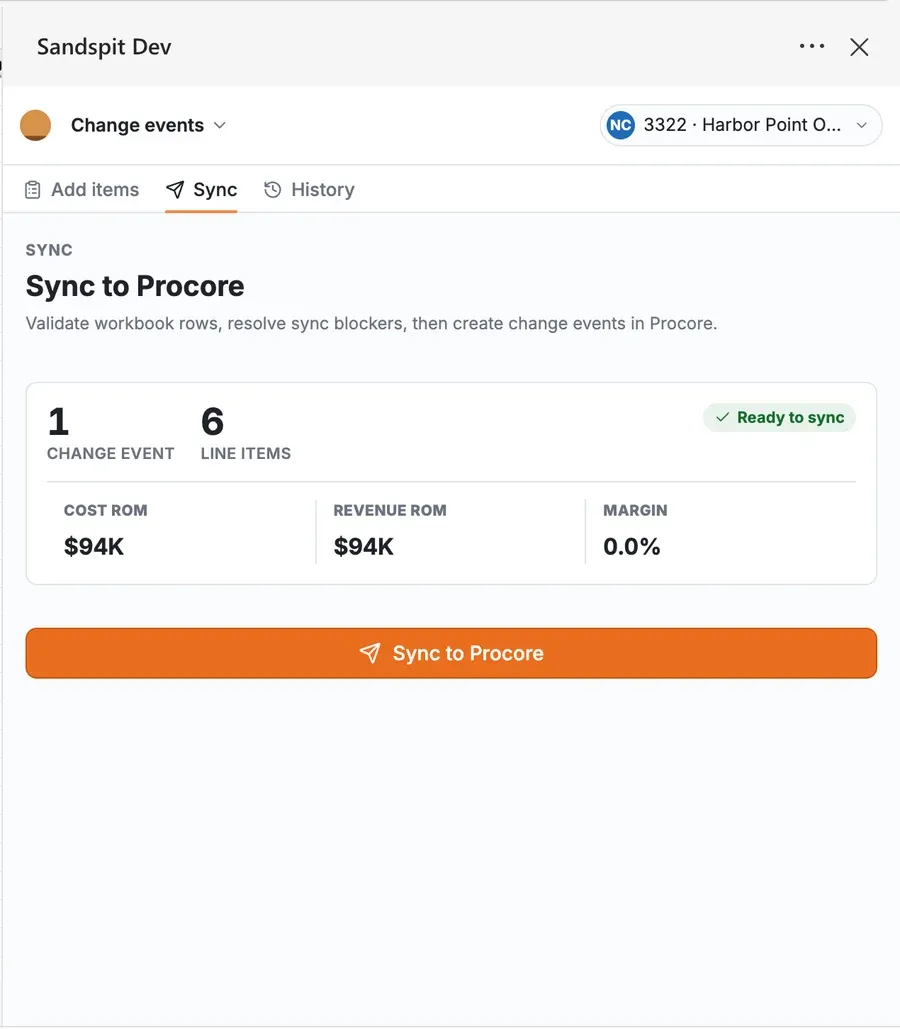
Once every row in a batch is Ready, sync the batch to Procore. Sandspit creates the Change Event and its line items in one operation, using the vendor, cost code, cost type, change reason, scope, description, and amount from each staged row.
Rows that still need attention stay in Staging. You can sync the ready rows and come back to the rest.
When to use this
Change Event Imports are most useful for teams dealing with:
- Vendor T&M invoices
- Scanned invoices, image files, and field photos of invoices
- CSV exports from other systems
- Field-directed and owner-directed work
- Multiple small invoices that add up across a project
- Large invoice packages with many line items
- Cost events with several line items per Change Event
- Projects with frequent change activity
A single invoice can always be handled manually. Once the volume goes up, the manual process starts to show its limits. That's where this workflow helps most.
Note
Want to see the marketing overview? See the Change Event Imports use case.