Bulk import change events into Procore.
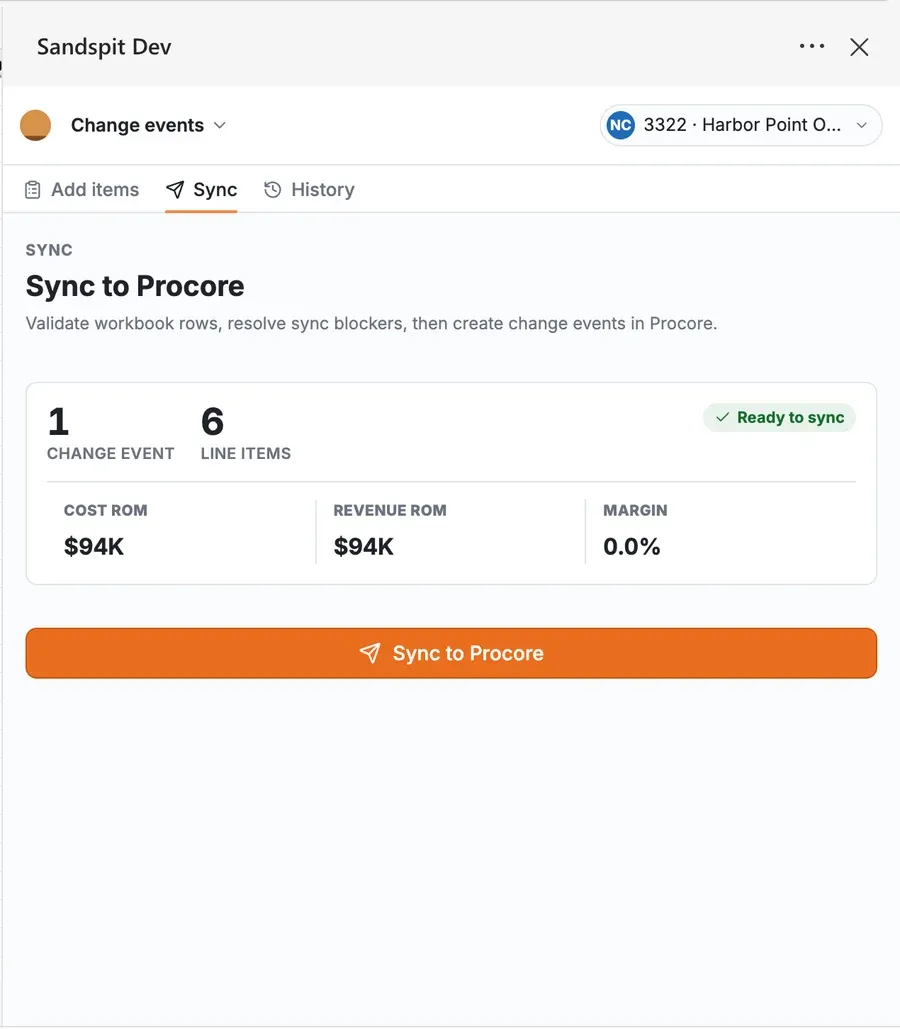
Fill the import sheet in Excel from a change log or buyout sheet, or drop vendor PDFs, T&M tickets, quotes, and images and let Sandspit read the lines. PMs and PEs review every staged line item, fix issues, and create the change events in Procore in one sync.
Changing change events already in Procore? See Bulk Edit Change Events.
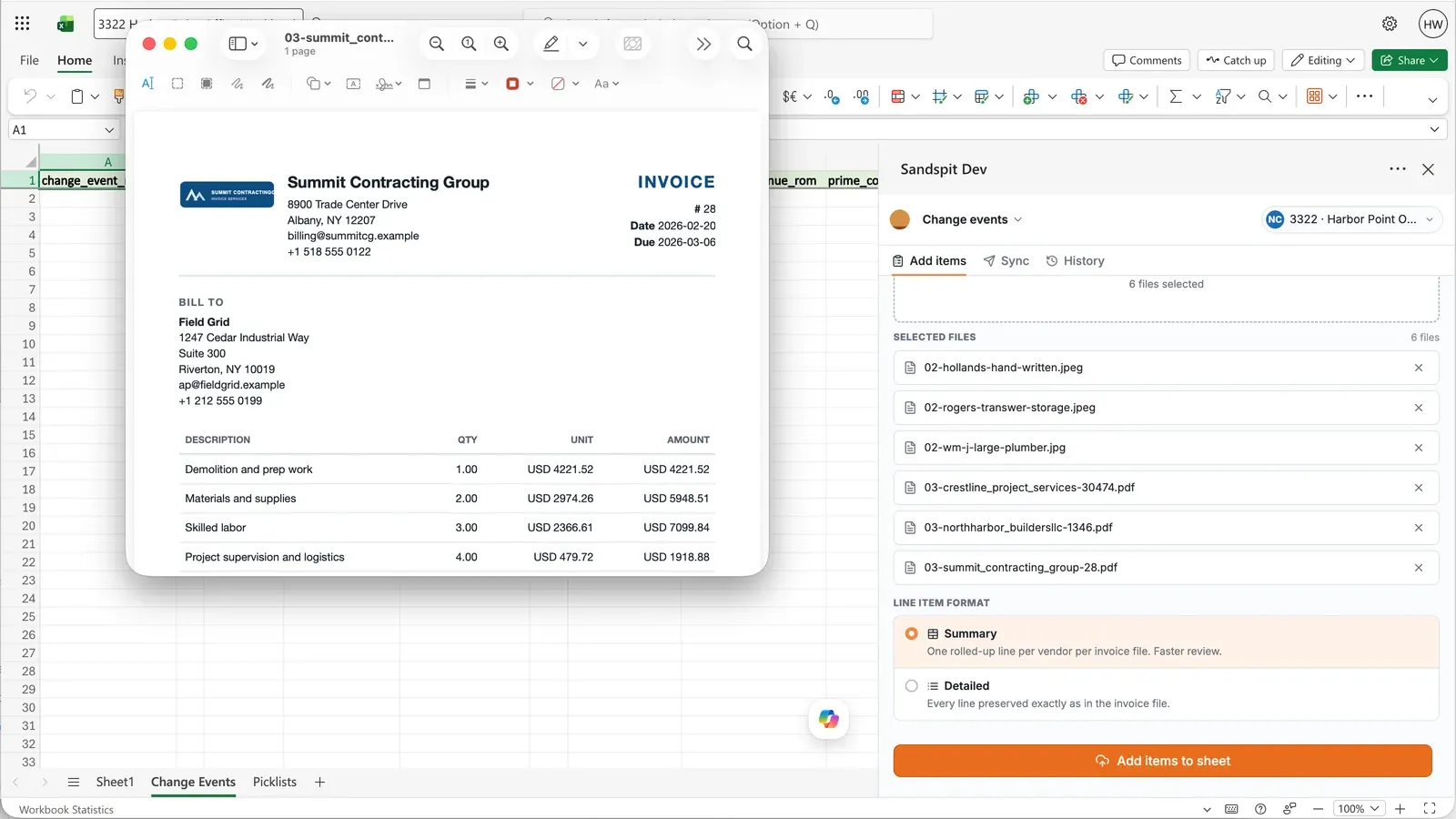
Extract potential cost and scope changes from vendor PDFs, T&M tickets, images, CSVs, and Excel files
Validate vendors, contracts, change reasons, scope, cost codes, cost types, and budget codes
Sync reviewed Change Event line items to Procore for RFQ, ROM, and change-order workflows
From a stack of T&M tickets to change events.
This video drags T&M tickets into Excel, adds line items by repeating the change event number, fixes vendors and budget codes, and creates every change event in Procore in one sync.
Start with the files behind the potential change.
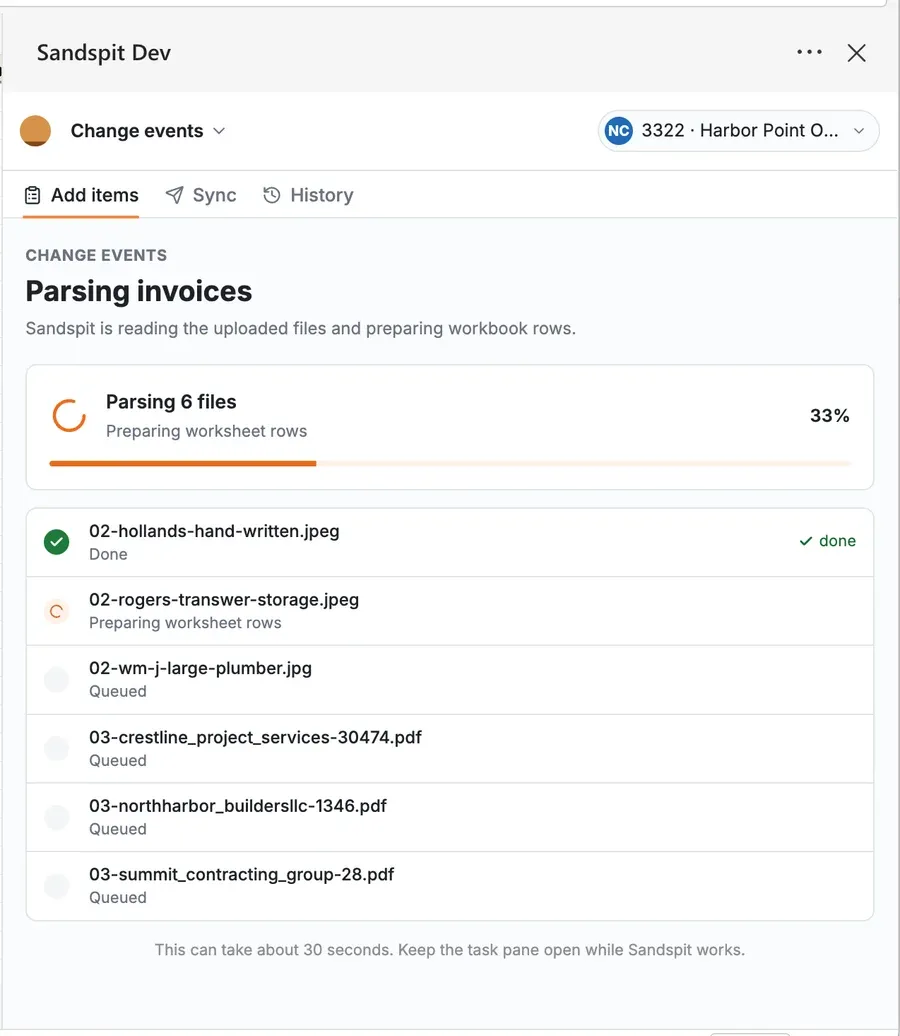
Start from vendor PDFs, T&M tickets, quotes, images, CSVs, and spreadsheet files. Sandspit converts those inputs into structured Change Event rows so the project team starts from a reviewable draft instead of a blank form.
- Parse vendor PDFs, T&M tickets, quotes, images, CSVs, and Excel files into line items
- Extract descriptions, vendors, amounts, cost codes, cost types, change reasons, and scope
- Use the selected project's Procore setup so extracted values match valid vendors, cost codes, cost types, and picklists
- Keep the source document visible while reviewing extracted data
- Route every extracted row through validation before sync
Prepare cost logs before creating Procore Change Events.
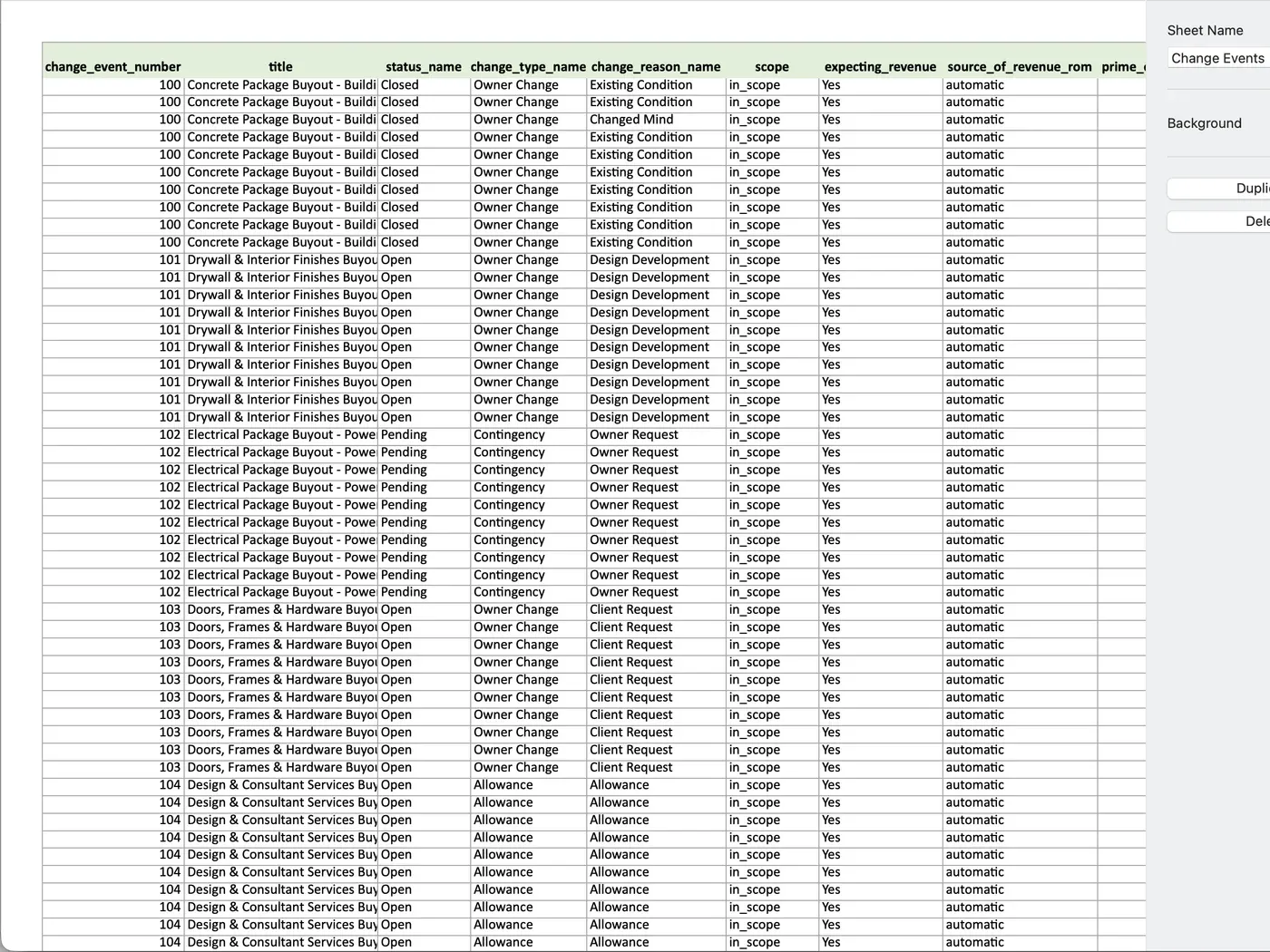
T&M logs, vendor quote trackers, buyout sheets, and internal cost spreadsheets can move through Sandspit without becoming a separate process. Teams can work from Excel, validate the potential cost changes, and sync Change Event data when it is ready.
Review every potential cost line item before it syncs.
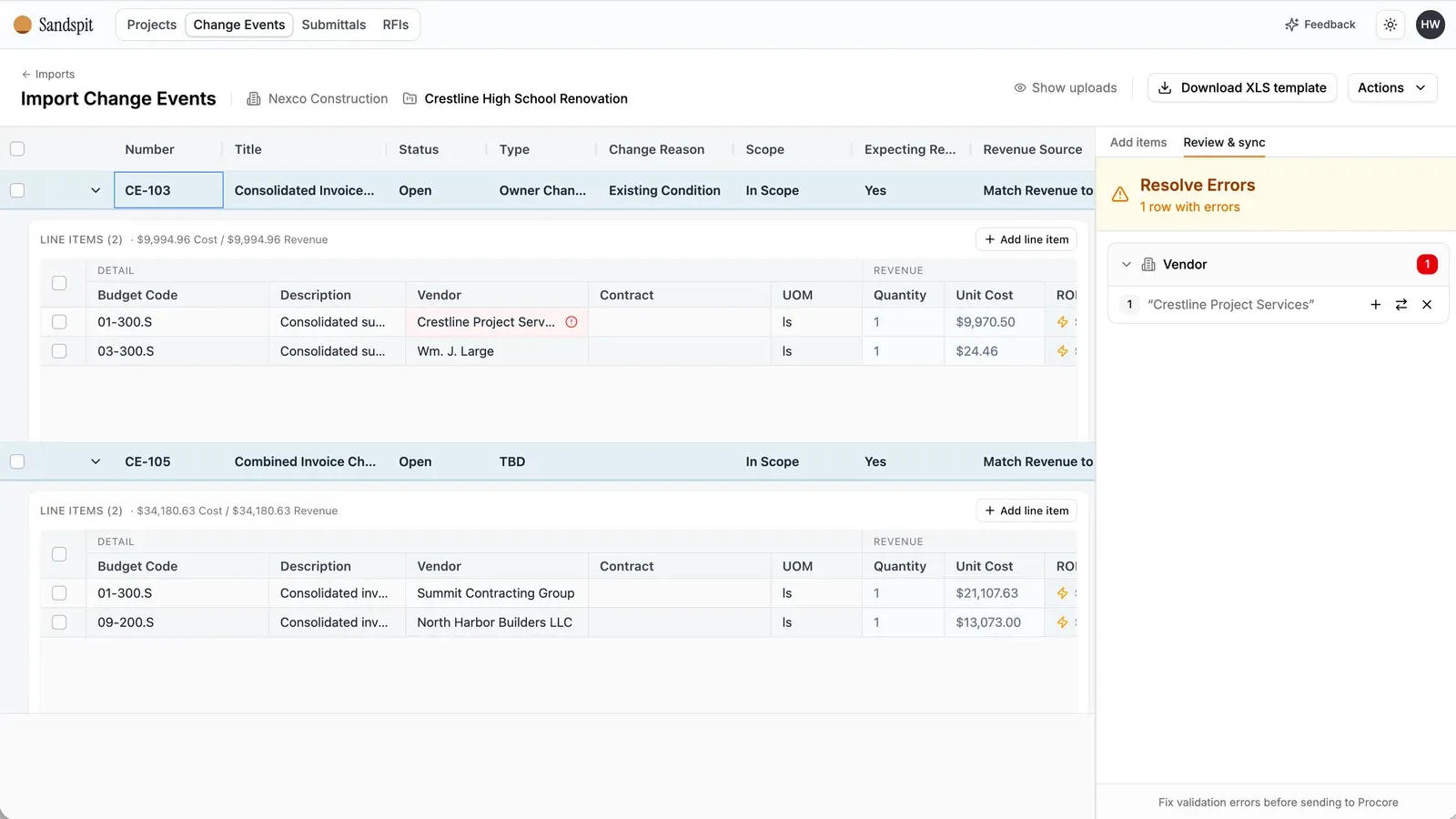
Imported Change Events land in a grid where rows can be checked and corrected before becoming Procore records. Sandspit highlights missing vendors, invalid budget codes, dropdown mismatches, unclear scope, and rows that need PM judgment.
- Separate ready rows from rows that need attention
- Use guided fixes for invalid fields, missing setup, and unclear change reasons
- Send reviewed line items into Procore for downstream RFQ, ROM, and change-order workflows
Sync reviewed rows from the tool teams already use.
The Sandspit Excel add-in supports the PM and PE workflow that already happens in spreadsheets. Teams can select a project, use workbook templates, validate Change Event rows, and sync without leaving Excel.